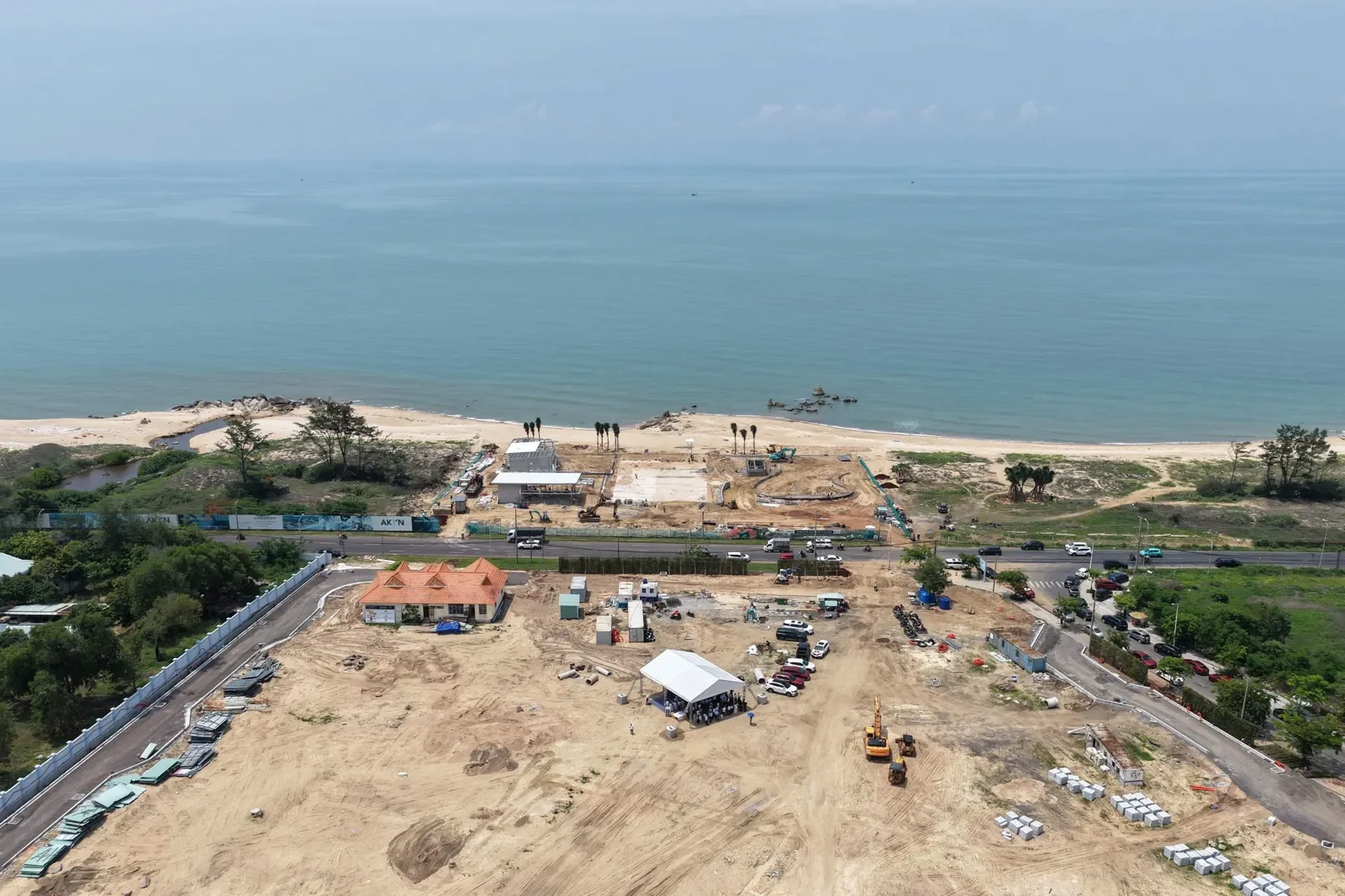
When one family member is in Vietnam and another is in the United States, Canada or Australia, a video call can easily become a tour without clear answers. A structured QTopia remote viewing should produce a usable record: what was seen, which unit was discussed and what still needs confirmation.
Set a specific purpose for the call
Choose one main objective: understanding the location, comparing two layouts or reviewing a short list of units. Mixing all three into a rushed call can leave the family with attractive footage but no comparable information. Send the questions in advance so the host can confirm what can be shown.
Confirm the date in both time zones
Provide your city rather than only an abbreviation. Agree on a calendar date and time in Vietnam and the corresponding date and time where you live. If several relatives join, confirm each location. Daylight saving changes mean an old time difference should not automatically be reused.
| Before the call | During the call | After the call |
|---|---|---|
| List objectives and unit codes. | State date, location and permitted route. | Receive the document and evidence list. |
| Read the drawings and dated quotation. | Identify actual footage versus renderings. | Resolve unanswered questions in writing. |
| Confirm language and meeting time. | Record limits where access is unavailable. | Agree on the next inspection step. |
Prepare a filming brief
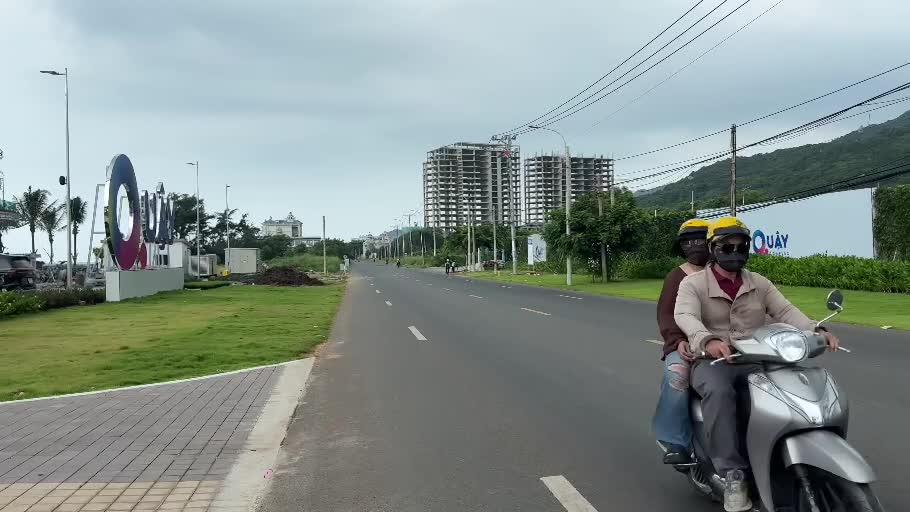
Ask for a coherent route showing the approach, meeting point, accessible surroundings and relevant details. A continuous section is easier to interpret than disconnected close-ups. Where recording is allowed, ask the host to state what is being shown and avoid filming other visitors’ personal information.
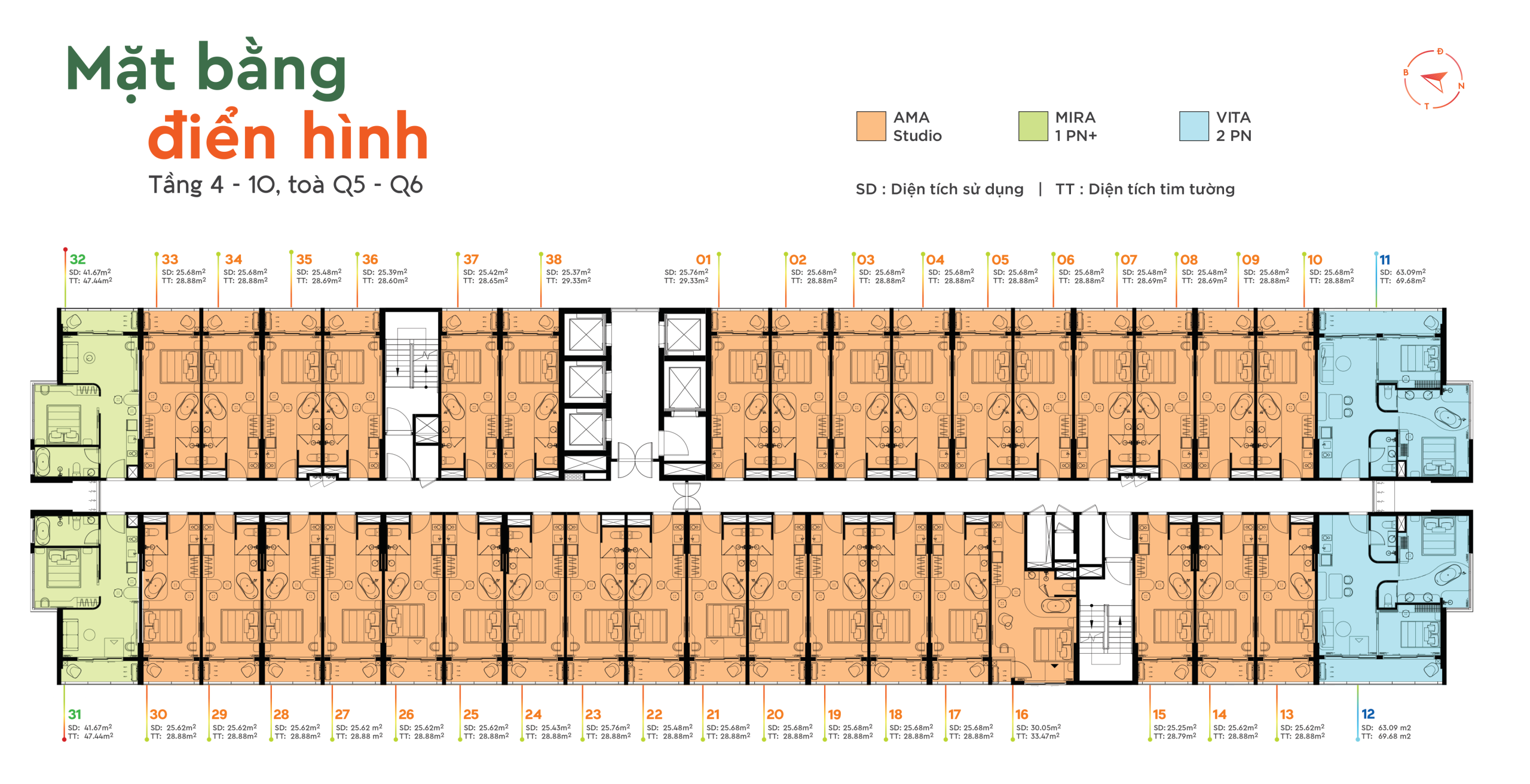
For a unit comparison, keep the tower, floor and unit code visible in the discussion. If the host is using a representative drawing or approximate viewpoint, label it that way. Do not let the shorthand “this unit” hide a change in the product being discussed.
Separate live observations from documents
Seeing an accessible area today does not by itself establish the whole project’s completion status. A rendering explains design intent, while a contract or handover specification answers different questions. Keep these evidence types separate in your notes.
Review the existing site video before the appointment. That frees the live call for questions the public footage does not answer.
Use a short follow-up record
For each answer, write the subject, answer, source, date and any limit. For example: “Balcony orientation: shown on drawing revision X; actual unit not accessed.” This is more reliable than converting an incomplete conversation into a confirmed feature.
Ask for originals of the relevant drawings and quotations through the agreed contact channel. The first enquiry can contain your preferences without passport copies or banking details.
Does a remote viewing replace a full inspection?
It is useful for initial research and shortlisting. What further checking is appropriate depends on the unanswered questions and the specific transaction. The session should make those limits easier to see.
Can an English-speaking relative join?
Request your preferred language when arranging the call. The team should confirm the available communication arrangements rather than leaving everyone to assume a language service is included.
Discuss your shortlist from overseas
Email cskh.qtopia@gmail.com with your preferred language, city or time zone and the questions you want answered. International hotline: +84 833 273 327 (Vietnam: 08 3327 3327). Please request a suitable appointment time; availability must be confirmed.
Read the full QTopia guide for overseas Vietnamese. This is the project information and advisory website, not a developer website.
Reviewed 16 October 2026. Check current unit-specific documents before making a decision.